Wednesday, December 12, 2012

Limit Download Speed Using PHP

Today’s featured PHP snippet is from Jonas John and it’s a simple and helpful solution for controlling a file’s download rate. This is very beneficial for those who have limited bandwidth.

ScreenHunter 1151 Dec. 11 21.04 Limit Download Speed Using PHP

The code is still a bit rough around the edges and could use a bit more polishing. Like for one, the execution time doesn’t count the time script, rather it only counts the actual time required by the command and the functions. But nonetheless, it’s still a good approach at limiting the download rate.

// local file that should be send to the client$local_file = 'test-file.zip';// filename that the user gets as default$download_file = 'your-download-name.zip';// set the download rate limit (=> 20,5 kb/s)$download_rate = 20.5;if(file_exists($local_file) && is_file($local_file)) { // send headers header('Cache-control: private'); header('Content-Type: application/octet-stream'); header('Content-Length: '.filesize($local_file)); header('Content-Disposition: filename='.$download_file); // flush content flush(); // open file stream $file = fopen($local_file, "r"); while (!feof($file)) { // send the current file part to the browser print fread($file, round($download_rate * 1024)); // flush the content to the browser flush(); // sleep one second sleep(1); } // close file stream fclose($file);}else { die('Error: The file '.$local_file.' does not exist!');}

If you’re looking for a nice alternative, you can check out Artur Graniszewski’s approach to throttling down QoS bandwidth.


View the original article here

10 Ruby Capabilities You Might Not Know About

Today’s programming tips and tricks come in the form of a slideshow presentation created by James Edward Gray II for his role as a speaker in the Aloha Ruby Conference held in Honolulu on October 2012. His talk featured a collection of various Ruby
capabilities that programmers either tend to overlook or are completely unaware of, hence the title of his talk, 10 Things You Didn’t Know Ruby Could Do.

ScreenHunter 1123 Dec. 07 15.50 10 Ruby Capabilities You Might Not Know About

Each trick in the presentation is explained in great detail complete with samples and snippets. The presentation also covers a range of subtopics which include compiler tricks, syntax, data structures and iterations to name a few.

Actually, the further down you get into the detail, the more tricks you find, which is why instead of just 10, you end up with about a hundred tricks (as you’ll find out for yourself as go through each slide).

So without further ado, enjoy the slideshow below:


View the original article here

Spruce Up Your Windows 8 Tiles and Icons With Oblytile

Today’s featured software  is something that is sure to make users of the new Windows 8 a reason to appreciate their new OS even more. It’s a Windows tool that lets users spruce up Windows 8’s default program icons and tiles, and it’s called Oblytile.

Once you’ve started pinning your programs onto the new Start screen, you’ll notice that their icons don’t really look quite as spiffy as their live-tiling Metro counterparts; they’re pretty much just the same old icons placed inside an oversize square box.

ScreenHunter 1097 Dec. 06 08.18 Spruce Up Your Windows 8 Tiles and Icons With OblytileImage source: Hongkiat

But thanks to Oblytile, Windows 8 users can now use a full sized, high quality image icon of their choosing to display and represent each of their desktop applications in the new user interface.

Customizing is pretty simple. Once you’ve downloaded the program, just run it (there’s no installation required, isn’t that great?) and it will present you with this simple user interface. This is where you just have to provide the locations of both the desktop application and the image file that you want to assign as its icon.

ScreenHunter 1099 Dec. 06 08.19 Spruce Up Your Windows 8 Tiles and Icons With Oblytile
Image source: Hongkiat

It’s that easy! As for the custom icons, you can find some cool pre-made tiles and icons over at deviantArt to help you get started, courtesy of a few generous deviantArtists: soulrider95, simobortolo, and Irv94.

Here’s a nice video tutorial about Oblytile:


View the original article here

Free Christmas Greeting Card Vector Background

7th December 2012 Marvin@Blogfreakz · Art, Design, Freebies, Inspiration, Web Design · 0 Comments

ScreenHunter 1122 Dec. 07 15.26 Free Christmas Greeting Card Vector Background

It’s now December and Christmas is just a few days away so I’m sharing a vector design background which I discovered at Webby Arts.

From 1000vectors.com, Webby Arts bring you a free Christmas greeting card and vector background, perfect for your design projects this time of season. This free design comes with glossy red color with very nice illustration of gifts and Advent wreath.
It is a scalable vector illustration as well so you can easily resize it without losing its resolution. The downloadable image file is .eps or.ai file.

Marvin@Blogfreakz

Marvin Bea is a blogger, webmaster and musician from the Philippines. His interests include arts, photography, travel, fitness and health.


View the original article here

Facebook Now Features Auto-Generated Documentation

Developers using Facebook’s API have something to cheer about as the social networking giant has improved its reference documentation by automatically updating and generating the docs straight from the source code. So any changes made to APIs and methods will be instantly reflected in the documentation, which means Facebook engineers can now spend less time trying to apply fixes and making changes with the docs and more time building out the platform.

ScreenHunter 1134 Dec. 10 13.46 Facebook Now Features Auto Generated Documentation

The announcement about the new change was posted on Facebook’s developer blog on December 6 (Thursday). As of December 7, the FQL, Android SDK and iOS SDK reference docs can be accessed in the new format. Documentation for the Graph API and other aspects of the platform is soon to follow (or it may probably already have by the time you read this).

Aside from the revamped format, Facebook has also added a more intuitive navigation structure to its developer site making it much easier for browsing. You can check out the new documentation.


View the original article here

Mippin: App for Everything and Everyone

ScreenHunter 1096 Dec. 06 08.18 Mippin: App for Everything and Everyone

Mippin is an award-winning app building platform so if you want your WordPress blog to have well-designed custom apps, then this is the answer. With this, you can change your desktop website into a mobile app within a short time without sweating it out.

Mippin enables any site owner to create cross-platform apps just within minutes. It has 50,000+ apps built and published in app stores at different parts of the globe.

Visit the official site for more info about this awesome tool.


View the original article here

Selecting First 10 Items of Specific Class Using jQuery

20090715101242Jquery logo Selecting First 10 Items of Specific Class Using jQuery
Here’s a very informative technique using jQuery to select the first 10 items of specific class. This tutorial was created by web developer Sam Deering, who is also the man behind jQuery4u.

1. First thing to do is get the first and last elements:

var firstSpan = $('span.class:first'), lastSpan = $('span.class:last');

2. Get all the elements that will match the specified class:

var allSpans = $('span.class').get(); or the nth/xth element like so: var firstSpan = $('span.class').get(0), secondSpan = $('span.class').get(1); //etc...

3. If you’ll get the fist 10 elements  or even the next batch:

var mySpans = $('span.class').get(0,10);

4. Below is Deering’s attempt to use jQuery .get() to include range of elements since jQuery .get() doesn’t allow to pass the range, only single index.

(function($) { //function that gets a range of dom elements against a jQuery selector //returns an array of dom elements $.fn.getRange = function(start,end) { var elems = []; for ( var i = start; i <= end; i++ ) { elems.push(this.get(i)); } return elems; };//testing console.log($('div').getRange(1,10)); console.log($('div').getRange(10,20));})(jQuery);

View the original article here

Optimize Your Images with TinyPNG


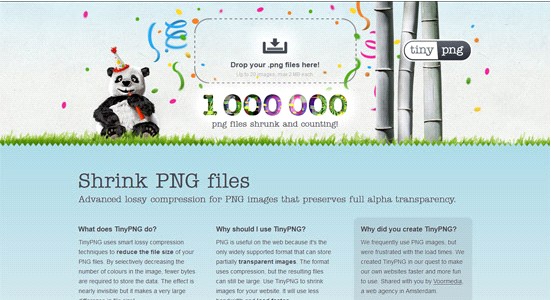
TinyPNG is an online image optimizing tool which has a simple drag-and-drop feature. It also allows you to drag the images you don’t want to be compressed. Using a smart lossy compression technique, you can easily reduce the file size of your PNG files.

This is a very useful tool especially for web designers and developers who want to compress their images first before uploading them online. This reduction makes for faster image loading time in your website. All you have to do is upload your PNG files into the website’s dropbox and that’s it!
TinyPNG  is supported by all major browsers and even mobile devices.
Check how this awesome tool works by clicking here.

View the original article here